Disclosure: Save Image As Type is ours, and this blog is published by the same people. Anything said here about our own software is written by an interested party. We are one of the extensions compared below, which is a reason to read this sceptically. So everything said about a competitor links to that competitor's own store listing or repository, and the one place a competitor beats us is stated plainly.
Why did Save Image As Type get removed from the Chrome Web Store?
The original “Save Image As Type”, which had at least a million users, was removed from the Chrome Web Store in March 2026 after it was found injecting affiliate codes into users’ browsing.[1] The extension contacted a server, built a list of URLs, and swapped in its own affiliate codes across 578 identifiable sites, taking commissions from whatever link the user actually clicked. Microsoft had already pulled it from Edge several months earlier.

9to5Google also reports that the extension’s developer email changed, which the article says “would suggest the extension was sold” before the injection started. That is the source’s own hedge and it is worth keeping: what is documented is the behaviour and the removal, not a confirmed sale.
The practical result for anyone who used it is that the extension is gone, and that the replacement you install next is a decision about trust before it is a decision about features.
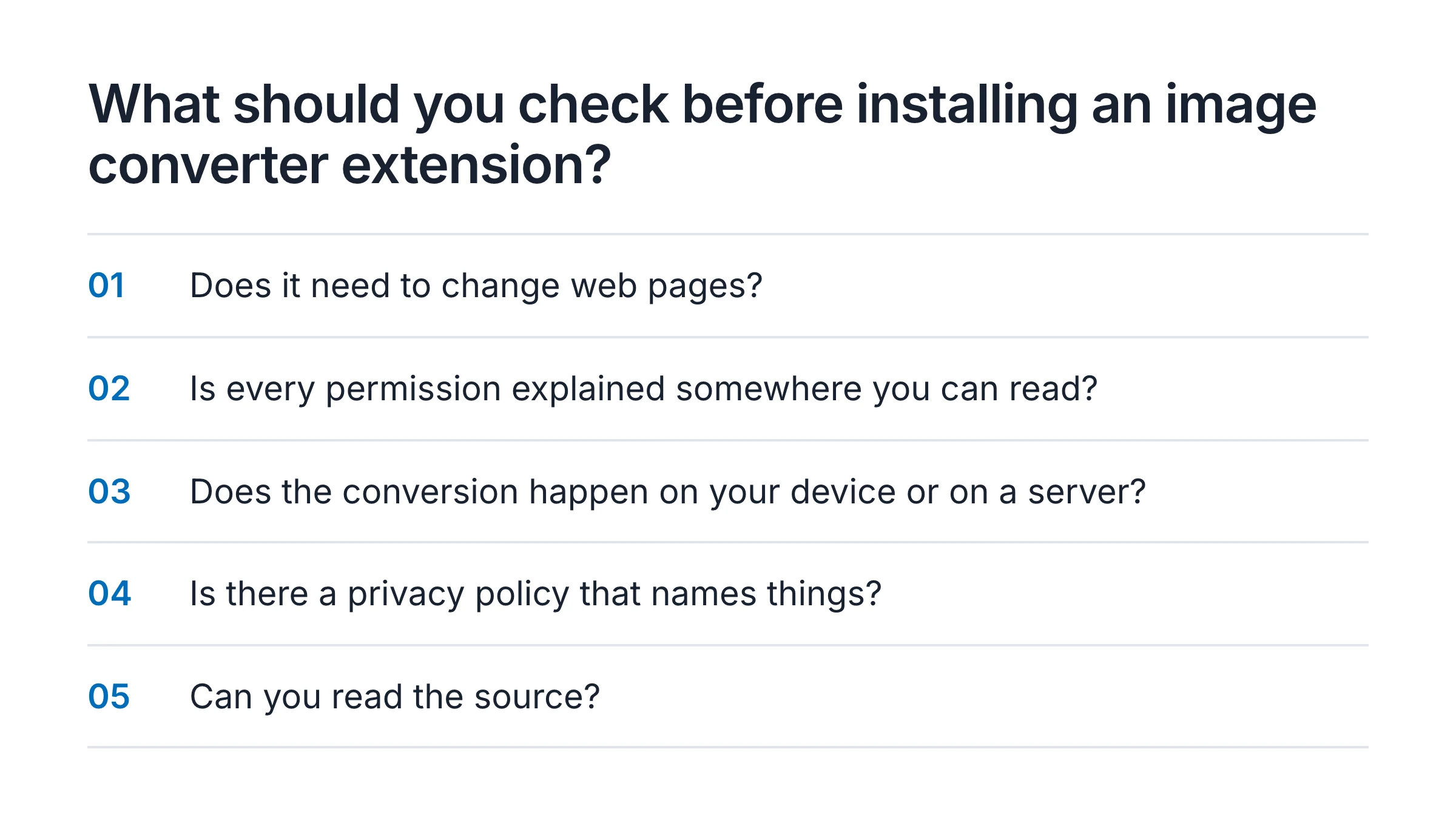
What should you check before installing an image converter extension?
Five things, in the order they tell you the most.
Does it need to change web pages? Converting an image you right-clicked does not require rewriting the page you are on. An extension that modifies page content has the capability the original abused, whatever it currently does with it.
Is every permission explained somewhere you can read? Not the store’s one-line summary. A page, maintained by the developer, that says what each permission is for. Most extensions do not have one, and its absence is not proof of anything, but its presence is checkable.
Does the conversion happen on your device or on a server? Local conversion means the image never gets uploaded. An extension that posts your image to an API to convert it has your image, and so does whoever runs the API. It is the same question that decides whether an online image converter is safe, where the answer is always a server and, per an FBI warning, sometimes worse.
Is there a privacy policy that names things? A policy that says “we respect your privacy” tells you nothing. One that names the analytics provider, the events, and how to turn them off can be checked against the extension’s actual behaviour.
Can you read the source? This is the strongest signal of the five and the rarest. Note that a store listing declaring a data category is not evidence against an extension: Google’s User Data FAQ[7] requires disclosure “even when data is processed or stored locally on a user’s device”. A declared category means the developer followed the rule, not that data left your machine.
Which image converter extensions are worth looking at?
Four, including ours. User counts and formats below are from each extension’s own Chrome Web Store listing, read on 17 August 2026, and they move.
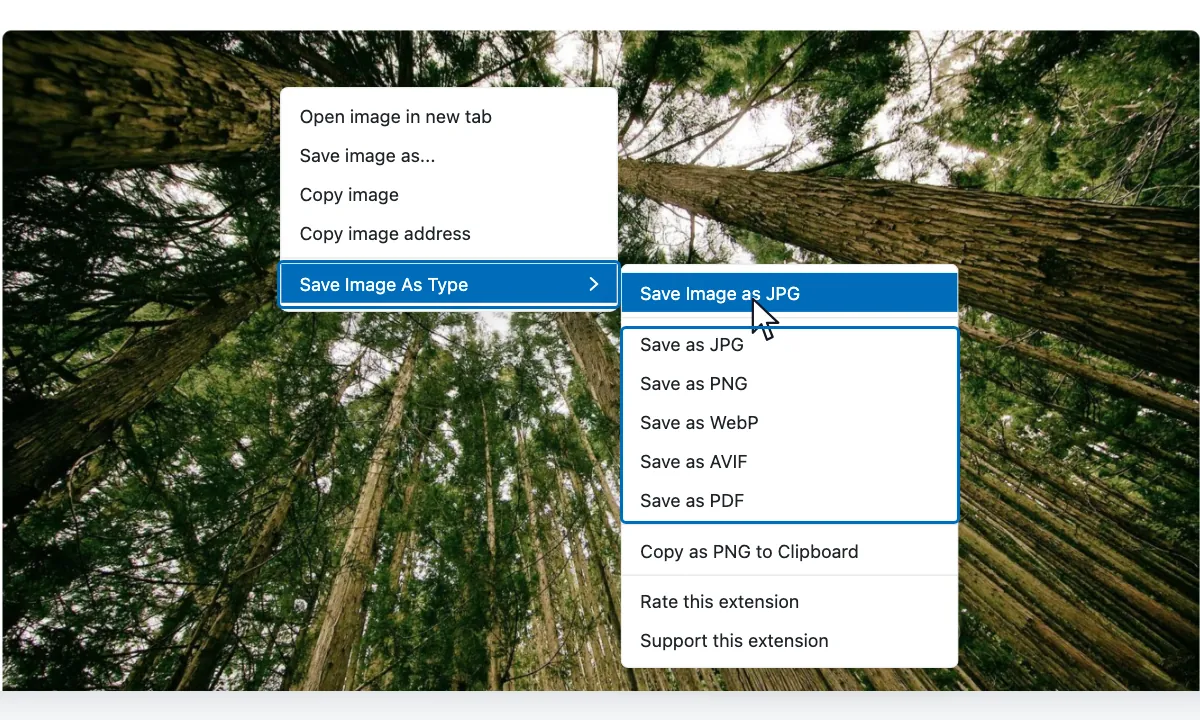
Save Image As Type (ours)
- Formats: JPG, PNG, WebP, AVIF, PDF
- Stores: Chrome Web Store, Firefox Add-ons, Edge Add-ons
- Users: 1,000 on Chrome
- Quality control: separate quality setting per lossy format
It also renames images from a template as they save,
which is the difference between a saved gallery and a folder of files called
image (1) through image (9).
Conversion runs in the browser through the Canvas API, so no image is uploaded anywhere. The Chrome and Edge builds send anonymous usage events to Google Analytics: which format was used, whether the conversion succeeded, and on a failure the bare hostname of the image so broken sites can be fixed. Never image data, never a full URL. It is on by default and switches off in Settings, and the Firefox build is compiled without the analytics code entirely.
Where it is weaker: the source is not public. See the honest comparison below.
Save Image As… by Peter Benoit
- Formats: PNG, JPG, WebP, AVIF, GIF, PDF
- Stores: Chrome Web Store
- Users: 149[4]
- Source code: published on GitHub[5]
The one on this list you can actually audit. If “can you read the source” is your deciding question, this is the answer, and it is a better answer than ours. It also covers a wider set of formats than we do, adding GIF output. It has no quality controls, no resize, and no Firefox or Edge listing.
Save Image As PNG by Music Find
- Formats: PNG only
- Stores: Chrome Web Store
- Users: 100,000[2]
The most-installed option here by two orders of magnitude, and the narrowest. It does one thing. If PNG is the only format you ever need, that is a feature, not a limitation, and the install base means a lot of people have been using it for a long time without complaint.
Save Image As… by Abhishek Badar
- Formats: PNG, JPG, WebP
- Stores: Chrome Web Store
- Users: 1,000[3]
Includes a batch download that scans the page and grabs multiple images at once. No AVIF, no quality settings. If bulk saving is what you are here for, the five routes to downloading every image on a page covers how these extensions compare to the browser’s own tools.
How do these extensions compare?
| Save Image As Type | Save Image As… (Benoit) | Save Image As PNG | Save Image As… (Badar) | |
|---|---|---|---|---|
| JPG | Yes | Yes | No | Yes |
| PNG | Yes | Yes | Yes | Yes |
| WebP | Yes | Yes | No | Yes |
| AVIF | Yes | Yes | No | No |
| Yes | Yes | No | No | |
| GIF output | No | Yes | No | No |
| Quality setting | Per format | No | No | No |
| Public source code | No | Yes | No | No |
| Listed on Firefox Add-ons | Yes | No | No | No |
| Listed on Edge Add-ons | Yes | No | No | No |
Two notes on that table, because comparison tables are where roundups quietly mislead.
The last two rows are about store listings, not compatibility. Microsoft Edge installs Chrome Web Store extensions directly once you allow extensions from other stores, so every extension here runs on Edge.[6] Having an Edge Add-ons listing means the extension was submitted and reviewed there, which is a smaller claim than it looks.
The source-code row goes against us and it is the row that matters most, given why you are reading this. We are not going to write a table that hides it.
Which one should you install?
If you want to read the code before trusting it, install Peter Benoit’s extension. It is the only one on this list whose source you can open, and after a malware removal that is a completely reasonable thing to insist on.
If you only ever save PNGs, Save Image As PNG has been doing that for 100,000 people and adding four more formats you will not use is not an upgrade.
Save Image As Type is the one to pick if you want quality control per format, PDF output, or a build that has been through review on Firefox Add-ons and Edge Add-ons instead of being side-loaded from the Chrome store. We think the per-format quality settings and the published permission justifications earn it. We also think you should know that our source is closed while one competitor’s is not, which is why it is a row in the table and not a footnote. The permissions themselves are worth a closer look than a table cell can give them - what each of these four extensions actually asks for, and what the store’s own data disclosure adds covers it in full, including the one place a competitor’s access is narrower than ours.

If what you actually came here for is the conversion itself, the two format walkthroughs are WebP to JPG and WebP to PNG, and the odd one out is an image to PDF, which is a document rather than an image format and behaves like one.
Which extensions should you avoid?
- Anything that modifies page content. A converter needs to read the image you right-clicked, not rewrite the page around it.
- Vague privacy policies. If nothing in it can be checked, nothing in it is a commitment.
- Recently transferred extensions. This is the pattern behind the original removal: an established extension with a large install base changes hands, and the new owner monetises the audience. There is no reliable way to spot it from the store listing, which is the uncomfortable part.
Sources
- 9to5Google: Chrome extension with 1M+ users removed as malwareReporting
The March 2026 Chrome Web Store removal of the original Save Image As Type, the affiliate-injection mechanism, the 578 affected sites, the earlier Edge removal, and the apparent change of ownership. Read .
- Chrome Web Store: Save Image As PNG (Music Find)Primary source
The user count and PNG-only output of the Save Image As PNG extension. Read .
- Chrome Web Store: Save Image As... (Abhishek Badar)Primary source
The user count, the PNG/JPG/WebP output formats and the batch-download feature of this extension, and the absence of any quality setting. Read .
- Chrome Web Store: Save Image As... (peterbenoit.com)Primary source
The user count and the six output formats, including PDF, of Peter Benoit's extension. Read .
- GitHub: peterbenoit/SaveAsExtensionPrimary source
That the source code of Peter Benoit's extension is published, which ours is not. Read .
- Microsoft Support: Add, turn off, or remove extensions in Microsoft EdgePrimary source
That Microsoft Edge can install extensions from the Chrome Web Store after allowing extensions from other stores.
- Chrome Web Store: User Data FAQPrimary source
That a developer must disclose data handling even when data is processed locally, so a declared data category is not by itself evidence that data leaves the device.